
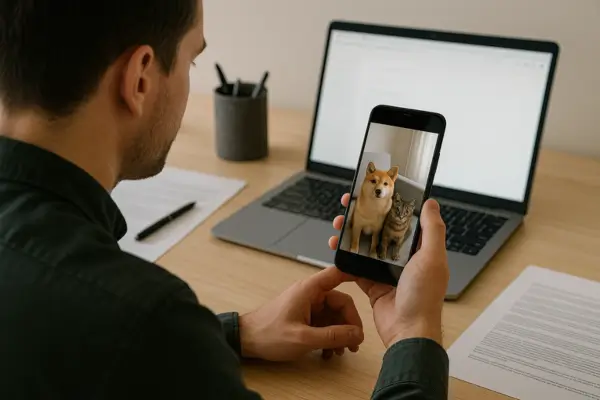
The Rise of Smart Pet Feeders in Modern Homes
As smart technology becomes a staple in households around the world, pet owners are increasingly turning to automated solutions to simplify daily routines. Among the most popular innovations are smart pet feeders—Wi-Fi or Bluetooth-enabled devices that allow you to feed your cat or dog remotely, customize portions, and maintain a consistent feeding schedule. With added features like camera monitoring, app notifications, and voice recording, these feeders go beyond convenience—they help pet parents stay connected to their furry companions even while away.
Growing Concerns About Cybersecurity and Connected Devices
However, with every new smart device brought into the home comes a new layer of cybersecurity risk. Smart pet feeders, like any connected device, are part of the Internet of Things (IoT)—a network of physical devices that communicate online. This means they can potentially be hacked, used to gain access to your home network, or even manipulated to disrupt your pet’s routine. Issues such as unsecured Wi-Fi connections, outdated firmware, and weak passwords can open the door to malicious activity, putting both your personal data and home environment at risk.
Purpose of the Article: Explore Risks and How to Protect Your Pet and Home
In this article, we’ll explore the hidden cybersecurity vulnerabilities associated with smart pet feeders, from unauthorized remote access to privacy breaches. More importantly, we’ll share simple, practical steps you can take to secure your feeder and keep your home and pet safe. Whether you’re new to smart pet technology or already rely on it daily, understanding these risks and how to counter them is essential to building a safe, reliable smart home for both you and your pet.
How Smart Pet Feeders Work
Internet-Connected Features: Scheduling, Remote Feeding, Cameras, and More
Smart pet feeders are much more than automated food dispensers—they’re part of a growing category of intelligent pet care devices designed to integrate with your lifestyle and your pet’s needs. These feeders typically come equipped with a variety of internet-enabled features, including:
- Automated Scheduling: You can program exact times and portion sizes for meals, ensuring your pet is fed on a regular and healthy routine—even if you’re running late or away from home.
- Remote Feeding: Most devices allow you to manually dispense food using an app. Whether you’re on a work trip or stuck in traffic, a tap on your phone can feed your pet instantly.
- Built-in Cameras: Some feeders offer live video streaming so you can see your pet in real time, check if they’ve eaten, or simply watch them for peace of mind.
- Two-Way Audio: This feature lets you talk to your pet through the feeder’s speaker, calming them with your voice or encouraging them to approach the bowl.
- Activity Alerts: Many feeders send notifications to your phone when food is dispensed, skipped, or when supplies are running low.
These features turn the feeder into more than just a gadget—it becomes a remote caregiver, particularly valuable for busy households, frequent travelers, or pet owners with unpredictable schedules.
Use of Apps, Wi-Fi, and Cloud-Based Services
The backbone of smart feeder functionality lies in wireless connectivity and digital platforms. Here’s how the system typically works:
- Mobile Apps: Every smart feeder is paired with an app (available for iOS and Android) that acts as your control hub. Through this app, you schedule meals, watch live feeds, set preferences, and receive notifications.
- Wi-Fi Connection: The feeder connects to your home Wi-Fi network to allow real-time communication with the app. A stable internet connection is essential for reliable operation.
- Cloud Storage: Some feeders utilize cloud-based storage to save video footage, feeding history, or behavioral patterns. This data can be accessed from multiple devices, making it easy to monitor your pet from anywhere.
- Software Updates: Firmware and app updates are pushed remotely, helping to improve functionality and occasionally patch security vulnerabilities—though users often delay these updates, increasing risk.
These technologies offer unprecedented convenience, but they also create an expanded attack surface for potential cyber threats, especially if the feeder isn’t configured securely.
The Convenience vs. The Vulnerability
The appeal of smart pet feeders lies in their ability to streamline daily pet care and offer digital peace of mind. They reduce stress, add flexibility, and even improve pet health through portion control and feeding consistency.
However, there’s a hidden side to this convenience: increased vulnerability. The very features that make these devices so helpful—Wi-Fi access, cloud integration, and mobile control—can also become entry points for cybercriminals if not properly protected.
For example:
- A hacker could intercept your feeder’s Wi-Fi signal if it’s unencrypted.
- A compromised app could give someone access to your home network.
- Poor password practices could allow strangers to tamper with your pet’s feeding schedule or access camera footage.
- Unsecured APIs (used by the app to communicate with the feeder or cloud) may leak data or provide remote access without your knowledge.
In short, smart feeders offer modern convenience at a cost—and that cost is the need for smart security practices. Understanding how these systems function is the first step in using them wisely and safely.
Can Pet Feeders Really Be Hacked?
Documented Cases or Cybersecurity Research Findings
While it may sound surprising, smart pet feeders have indeed been identified as potential weak links in home cybersecurity. Cybersecurity researchers and ethical hackers have tested various models and found several with exploitable flaws.
In one notable case, researchers from cybersecurity firm Bitdefender exposed vulnerabilities in a popular smart pet feeder that allowed unauthorized users to access the camera feed, trigger feeding commands, and even gain access to the home network through unsecured communication protocols. Another report published by The Mozilla Foundation evaluated dozens of connected pet products and flagged smart feeders as “privacy not included”—a warning indicating serious concerns over poor data practices, lack of encryption, and weak user protections.
These findings aren’t isolated. As part of the larger Internet of Things (IoT) ecosystem, smart pet feeders are frequently targeted in vulnerability scans because they often lack the robust security frameworks found in smartphones or laptops.
Common Vulnerabilities in Smart Devices
Smart pet feeders, like many IoT devices, share several common weaknesses that make them attractive to cybercriminals:
- Unencrypted Communication: Many devices transmit data without encryption, meaning hackers can intercept signals between the app and the feeder.
- Weak Default Passwords: Some feeders come with factory-set credentials that users never change, making them easy to guess or brute-force.
- Lack of Firmware Updates: If a device doesn’t receive regular security patches, known vulnerabilities remain open indefinitely.
- Open Ports and Poor API Security: Some devices use open ports or insecure APIs that can be exploited remotely.
- Insecure Mobile Apps: Companion apps may request excessive permissions, have coding flaws, or store sensitive data insecurely.
Even if a hacker isn’t interested in your pet, these devices can be used as entry points to your entire home network, potentially exposing other connected devices, personal data, and more.
What Hackers Can Potentially Access or Control
If a hacker successfully compromises a smart pet feeder, they may gain access to more than just your pet’s feeding schedule. Here’s what they could potentially control or retrieve:
- Camera Access: Live video feeds can be viewed or recorded, raising serious privacy and surveillance concerns—especially if the feeder is placed in common areas of the home.
- Feeding Controls: Hackers could disrupt feeding routines, leading to overfeeding, underfeeding, or skipped meals, which can affect your pet’s health.
- Two-Way Audio and Voice Commands: They might play audio through the device, potentially confusing or distressing your pet.
- User Data and App Access: If account credentials are compromised, a hacker could retrieve personal information, including home addresses or payment data (if stored).
- Network Access: The biggest threat is often indirect—once inside your network, attackers may attempt to access other devices like smart TVs, baby monitors, or even banking apps connected to the same Wi-Fi.
While a hacked pet feeder may not sound dangerous at first, it can serve as a gateway for broader cyber intrusions, affecting both your digital security and your pet’s safety.
Risks of a Hacked Pet Feeder
While a compromised smart pet feeder may seem like a minor inconvenience at first glance, the potential consequences can affect not only your pet’s well-being but also your personal privacy and home security. Here’s a breakdown of the key risks involved:
Missed or Excessive Feeding Leading to Health Issues
One of the most direct risks of a hacked pet feeder is the disruption of your pet’s feeding schedule. If a malicious actor gains access, they could:
- Skip scheduled meals, leading to hunger, stress, and nutritional deficiencies.
- Dispense food multiple times a day, potentially causing overeating, obesity, or digestive issues.
- Alter portion sizes unpredictably, throwing off your pet’s dietary balance.
For pets with strict feeding requirements—like those with diabetes, allergies, or weight management needs—even small changes in routine can lead to serious health concerns. In short, feeding manipulation isn’t just an annoyance—it’s a genuine risk to pet health.
Unauthorized Surveillance Through Built-In Cameras or Microphones
Smart feeders with integrated cameras and microphones offer the convenience of checking in on your pet, but they also introduce surveillance vulnerabilities. Hackers who gain access may:
- View live video feeds, getting a glimpse into your home and routines.
- Record footage without your knowledge, which could be stored or shared online.
- Listen in or speak through the feeder, creating a frightening experience for both pets and people.
This form of unauthorized surveillance poses a serious invasion of privacy, especially if the feeder is placed in areas where family members spend significant time.
Entry Point to Your Home Network (Smart Home Hacking Chain)
Perhaps the most dangerous risk is that a hacked feeder can act as a backdoor into your entire smart home. Once inside your Wi-Fi network, a hacker can potentially explore other connected devices:
- Smart speakers and voice assistants
- Baby monitors and home security cameras
- Smart thermostats, lights, locks, and appliances
- Computers, smartphones, and personal data storage
This is known as a smart home hacking chain, where one weak device becomes the entry point for accessing much more sensitive or secure parts of your digital environment.
Privacy Concerns: Personal Data and Home Habits Exposed
Even if the feeder itself doesn’t have a camera or audio, it may still collect and store data about:
- Feeding times and patterns, which can reveal your daily schedule.
- Device location and network information, including your IP address and Wi-Fi details.
- App usage history, such as when you’re away from home or on vacation.
When this data is unprotected or improperly handled, it can be used to profile your behavior, track your absence, or even plan a physical intrusion.
The risks of a hacked pet feeder go far beyond missed meals. From direct health consequences to privacy breaches and smart home vulnerabilities, it’s clear that securing your device is a vital step in protecting both your pet and your household.
Warning Signs Your Pet Feeder Might Be Compromised
Even the most advanced smart pet feeder isn’t immune to cybersecurity threats. If your device has been hacked or tampered with, the signs may start subtly—but ignoring them can lead to serious risks for both your pet and your home network. Below are the most common red flags that indicate your smart feeder may be compromised, along with how to interpret and respond to them.
Random Feedings or Unusual Alerts
If your smart feeder begins behaving unpredictably—dispensing food at odd hours or sending alerts that don’t align with your programmed schedule—it’s a strong indication that something may be wrong. Watch out for:
- Unexpected feedings during the night or while you’re home and haven’t triggered them
- Skipped feedings, even though they’re correctly scheduled in the app
- Alerts saying “feeding completed” when no food was actually dispensed
- Multiple meals triggered back-to-back, potentially overfeeding your pet
These behaviors could result from someone gaining remote access to your feeder or exploiting its software to trigger false actions. While software glitches do occur, repeated anomalies should never be ignored—especially if you’ve recently updated the app, changed networks, or haven’t installed the latest security patches.
App Behaving Strangely or Logging You Out
Because your smart feeder is controlled through a mobile app, that app is often the first line of defense—and the first place strange behavior will show up if there’s been a breach. Signs to take seriously include:
- Being logged out without reason, especially repeatedly or across multiple devices
- Receiving alerts like “Your account was accessed from a new device/location” when you weren’t the one logging in
- App settings (feeding times, portion sizes, connected camera settings) changing mysteriously
- Unauthorized password reset attempts, even if they fail
- Frequent crashing, freezing, or lagging in the app interface
In many cases, compromised apps are the result of stolen login credentials (especially if you’ve reused passwords) or API vulnerabilities that allow external actors to alter your data or permissions. If you notice any of the above, change your password immediately and enable two-factor authentication if available.
Unknown IP Addresses Connected to the Device
If you have access to your router admin panel or a network management app (such as Google Nest, TP-Link, Eero, etc.), checking your network activity can provide deep insight into who and what is connected to your smart devices. Look for:
- IP addresses or device names you don’t recognize on your feeder’s list of active connections
- Devices connected to the feeder from suspicious locations or countries
- Unusual spikes in data traffic to or from the feeder, especially during hours when no feeding should occur
- Feeder attempting to connect to strange or unsecured web addresses (which could be a botnet or malware signal)
Many compromised smart devices become part of botnets—networks of hacked IoT devices that cybercriminals use for large-scale attacks. Even if your pet feeder is just one device, it can become a silent tool in a broader attack unless the threat is identified and addressed quickly.
What These Signs Really Mean
If one of these issues occurs once, it could be a harmless glitch. But if you notice multiple signs or recurring patterns, you may be facing:
- A malicious app or third-party connection hijacking your feeder’s commands
- A breach in your account (possibly through password reuse or phishing)
- An open vulnerability in the feeder’s firmware or companion app
- Or even a network-wide attack, using your pet feeder as the weakest point
What You Should Do Immediately:
If you suspect your feeder has been compromised:
- Disconnect the feeder from Wi-Fi and switch it to offline/manual mode if possible.
- Change the passwords for your app and router—using a strong, unique password.
- Check for firmware updates on the manufacturer’s website or app store.
- Perform a factory reset on the feeder and re-pair it using new credentials.
- Scan your network for any other affected devices or unknown connections.
- Contact customer support to report the issue and verify if other users have experienced the same.
Cyber intrusions don’t always announce themselves with alarms. Often, it’s these small behavioral inconsistencies—like a random late-night feeding or a silent logout—that point to deeper vulnerabilities. Recognizing these signs early can help you act fast, protect your pet’s safety, and prevent larger digital intrusions into your home.
How to Protect Your Pet Feeder from Being Hacked
Securing your smart pet feeder doesn’t have to be complicated—but it does require awareness and a few proactive steps. By treating your feeder like any other connected device in your home, you can greatly reduce the risk of hacking, privacy breaches, or feeding disruptions. Here’s how to keep both your pet and your digital life safe:
Choose Reputable Brands with Security Updates
Not all smart feeders are created equal. Many low-cost or generic models may skip essential security features, such as data encryption, regular updates, or proper testing. When shopping for a feeder:
- Look for brands known for smart technology, not just pet supplies.
- Check if the manufacturer regularly releases firmware updates and clearly lists their data privacy practices.
- Read user reviews or check resources like Mozilla’s Privacy Not Included guide to assess security ratings.
A feeder from a well-established tech-oriented brand may cost a bit more—but it often comes with better encryption, app security, and customer support.
Use Strong, Unique Passwords and Change Defaults
Many smart devices come with default usernames and passwords, which are publicly available online and easily exploited by hackers. To secure your feeder:
- Immediately change any default login credentials after setup.
- Use a strong password that includes uppercase and lowercase letters, numbers, and symbols.
- Avoid reusing passwords across devices or accounts—if one gets hacked, others could follow.
- Consider using a password manager to keep track of unique logins for each smart device.
Enable Two-Factor Authentication if Available
If your pet feeder’s companion app supports two-factor authentication (2FA), turn it on. This extra layer of security requires you to verify your identity using a secondary method—usually a code sent to your phone or email—before granting access.
- Even if someone gets your password, they can’t log in without the second step.
- Some feeders now offer biometric options (like fingerprint login) within the app for added convenience and protection.
If 2FA isn’t offered, consider contacting the brand to request it—consumer pressure often influences future updates.
Keep Firmware and Apps Updated
Software updates often include critical security patches that fix newly discovered vulnerabilities. Outdated apps or device firmware leave you exposed to known risks.
- Enable automatic updates when available for both the feeder and its app.
- Check the app store or device settings monthly to ensure you’re using the latest version.
- If your feeder doesn’t receive updates or hasn’t been updated in a long time, consider replacing it with a model that does.
Firmware updates can sometimes be triggered manually through the app or downloaded from the brand’s website.
Secure Your Wi-Fi Network
Even the best-protected feeder is only as safe as the network it’s on. Smart devices should always be connected to a secure and private Wi-Fi network:
- Change the default SSID (Wi-Fi name) to something unique and avoid identifying personal info in it (like your name or address).
- Use WPA3 or WPA2 encryption—never use WEP, which is outdated and vulnerable.
- Set a strong Wi-Fi password, different from any other login credentials.
- Consider creating a separate guest network for smart devices, keeping them isolated from personal devices like phones or laptops.
If a hacker can’t reach your network, they can’t reach your pet feeder either.
Even with all protections in place, it’s smart to review your feeder’s settings, activity logs, and app permissions regularly. Familiarize yourself with normal behavior so you can quickly detect anything unusual.
By following these five best practices, you significantly reduce the risk of cyber threats—ensuring your feeder works as intended, your pet stays happy and healthy, and your home remains digitally secure.
What to Do If You Suspect a Breach
If your smart pet feeder starts behaving oddly—random feedings, app malfunctions, or strange login activity—it’s important to act quickly and decisively. A security breach, even in a small device like a feeder, can compromise more than just your pet’s meals—it could be the gateway to your home network. Here’s what to do if you think your feeder has been hacked:
Disconnect the Feeder Immediately
The first step is to isolate the threat by cutting the feeder’s connection to the internet:
- Unplug the device or turn it off.
- If it runs on battery or has no power switch, disconnect it from your Wi-Fi router via your router’s admin settings.
- Do not issue any commands through the app until the issue is resolved.
This will immediately stop any potential remote control and prevent further data leakage or feeding disruptions.
Reset to Factory Settings and Change Credentials
Once the device is offline, reset it to factory default settings to clear out any unauthorized access or corrupted configurations:
- Most feeders have a reset button or a sequence of button presses to initiate a full reset (check the manual or manufacturer’s site).
- After resetting, reconnect the feeder as if it were brand new—and this time:
- Use a strong, unique password for both the feeder and the app.
- Change your Wi-Fi password as well if you suspect network exposure.
- Avoid reusing any old login information.
- Use a strong, unique password for both the feeder and the app.
This gives you a clean slate, free from any lingering malicious commands or login sessions.
Contact the Manufacturer for Support
If you suspect foul play or encounter errors during the reset process, don’t hesitate to reach out to the manufacturer’s customer support:
- Report the issue and provide details (timestamps, app behavior, changes noticed).
- Ask if others have reported similar problems, which may indicate a wider vulnerability or active exploit.
- Inquire about the latest firmware updates or known security fixes.
- If your model is no longer supported or hasn’t received updates in years, consider upgrading to a newer, more secure model.
Some reputable brands may also offer log analysis or diagnostic tools to help confirm whether a breach occurred.
Monitor Your Home Network for Other Intrusions
A hacked pet feeder may just be the tip of the iceberg—especially if it served as an entry point to your entire smart home system. Once you’ve reset the feeder:
- Log into your router’s admin panel and review all connected devices.
- Look for unknown or suspicious IP addresses and disconnect anything unfamiliar.
- Update router firmware to patch any vulnerabilities.
- Consider using network security software or firewalls that detect malicious traffic.
- Monitor any other IoT devices (cameras, smart locks, lights, etc.) for odd behavior.
If you’re not sure how to audit your network, consider using a Wi-Fi scanning app or contacting a professional IT service for help.
Document the signs, actions taken, and any communication with the manufacturer. If something similar happens in the future, you’ll have a clear timeline and reference, and it may also help others through forums or support channels.
Conclusion
Smart Pet Feeders Are Helpful but Need to Be Used Securely
There’s no question that smart pet feeders have transformed modern pet care. They offer convenience, automation, and peace of mind, allowing owners to feed their pets remotely, monitor behavior, and even interact through cameras and microphones. For busy families, frequent travelers, or anyone who values consistency in their pet’s routine, these devices are truly game-changing.
However, as we’ve seen throughout this article, smart feeders aren’t just food dispensers—they’re connected devices that operate through apps, cloud services, and your home Wi-Fi network. That means they also bring with them the risks of the digital world: unauthorized access, privacy breaches, data exposure, and even broader smart home vulnerabilities.
In short, smart feeders are incredibly useful—but only when used with security and awareness in mind.
Encourage Proactive Cybersecurity Habits
You don’t need to be a cybersecurity expert to protect your smart pet feeder and your home. Simple, proactive habits can go a long way in preventing problems:
- Always change default passwords and use strong, unique ones.
- Stay updated with the latest firmware and app versions.
- Enable two-factor authentication (2FA) when available.
- Be selective when choosing a feeder brand, prioritizing those with a track record of security and regular updates.
- Secure your home Wi-Fi network with strong encryption and a reliable router.
It’s easy to think of cybersecurity as something only large companies or IT professionals worry about—but in today’s connected world, even our pet’s food bowl is online. That makes personal cybersecurity a part of daily life.
The goal isn’t to create fear—it’s to build confidence and control. With a few intentional steps, you can enjoy all the benefits of smart pet technology without the hidden risks.
Treat Your Smart Feeder Like Any Other Smart Home Device—Protect It
Think of your smart feeder as part of your digital home—just like your smartphone, smart TV, or security camera. You wouldn’t leave those devices open to intrusion, so give your pet’s feeder the same level of care:
- Keep it updated.
- Monitor its activity.
- Don’t ignore strange behavior.
- Secure its connection like you would any other access point to your home.
Your pet feeder is more than a gadget—it’s part of your home’s routine, your pet’s health, and your connected life. And like anything valuable, it deserves to be protected.
Smart pet feeders bring comfort and control into the lives of pet owners everywhere. With thoughtful use and smart security habits, you can ensure these devices continue to be a helpful companion—not a digital risk.
Feed your pets with care—and guard your tech with intention.